Domain Management
The domain management system on our platform allows developers and system administrators to seamlessly and efficiently configure and manage their domains. This tool, by providing an intelligent user interface, helps you simplify the domain management process and ensure their proper functioning. Our goal is to provide a reliable and user-friendly experience in domain management to maintain the accessibility and security of your services.
How can I manage the domains of my applications?
To access this tool, first log in to your application management panel. Then select the Ports and Domains tab.
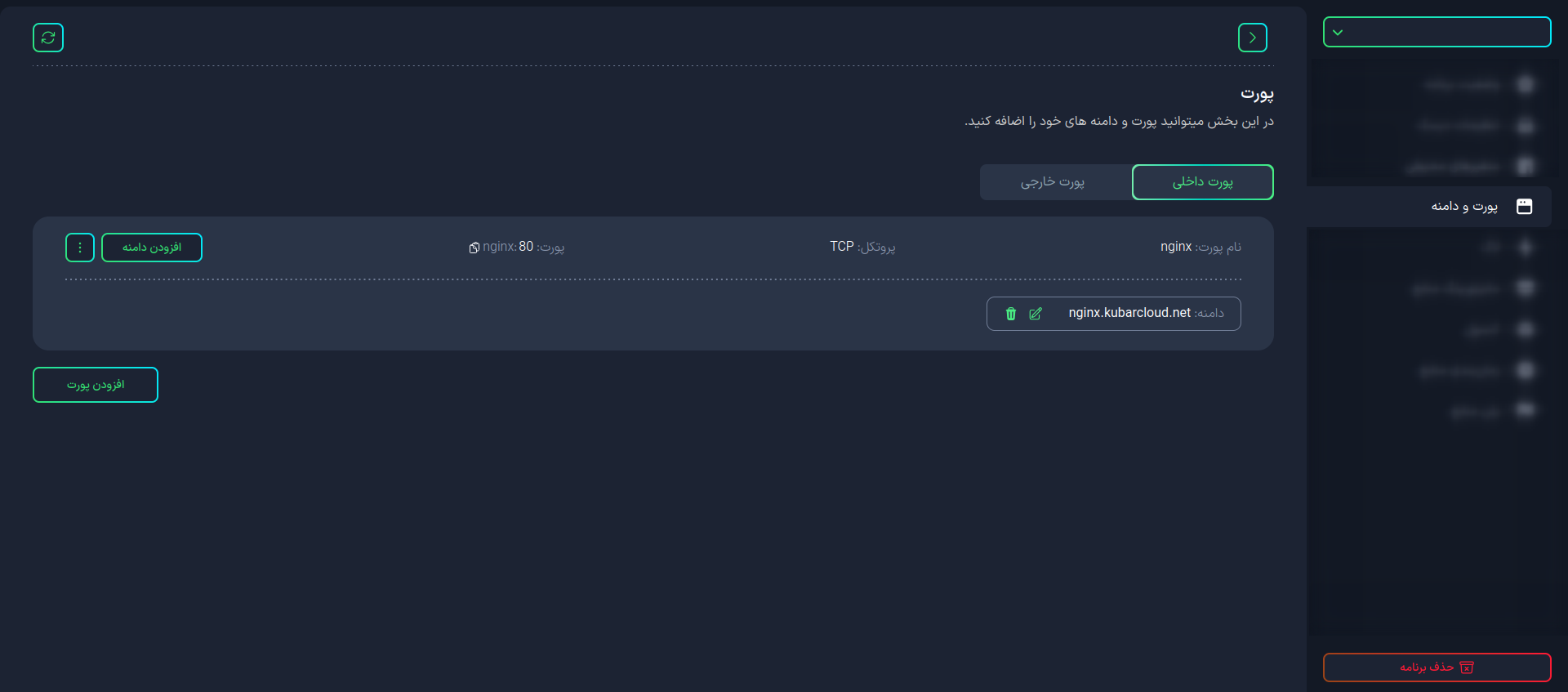
Once you enter this section, you can view and manage the domains of your applications.
Adding a New Domain
After creating your application, the site assigns you a domain. To add a new domain, click the Add Domain button for the internal port related to your application in the Internal Port tab.
In this section, you can add a new domain to your application in two ways:
-
Kobar Suffix Domain: These domains are automatically created for your applications. To do this, enter your desired domain name and click the Add button.
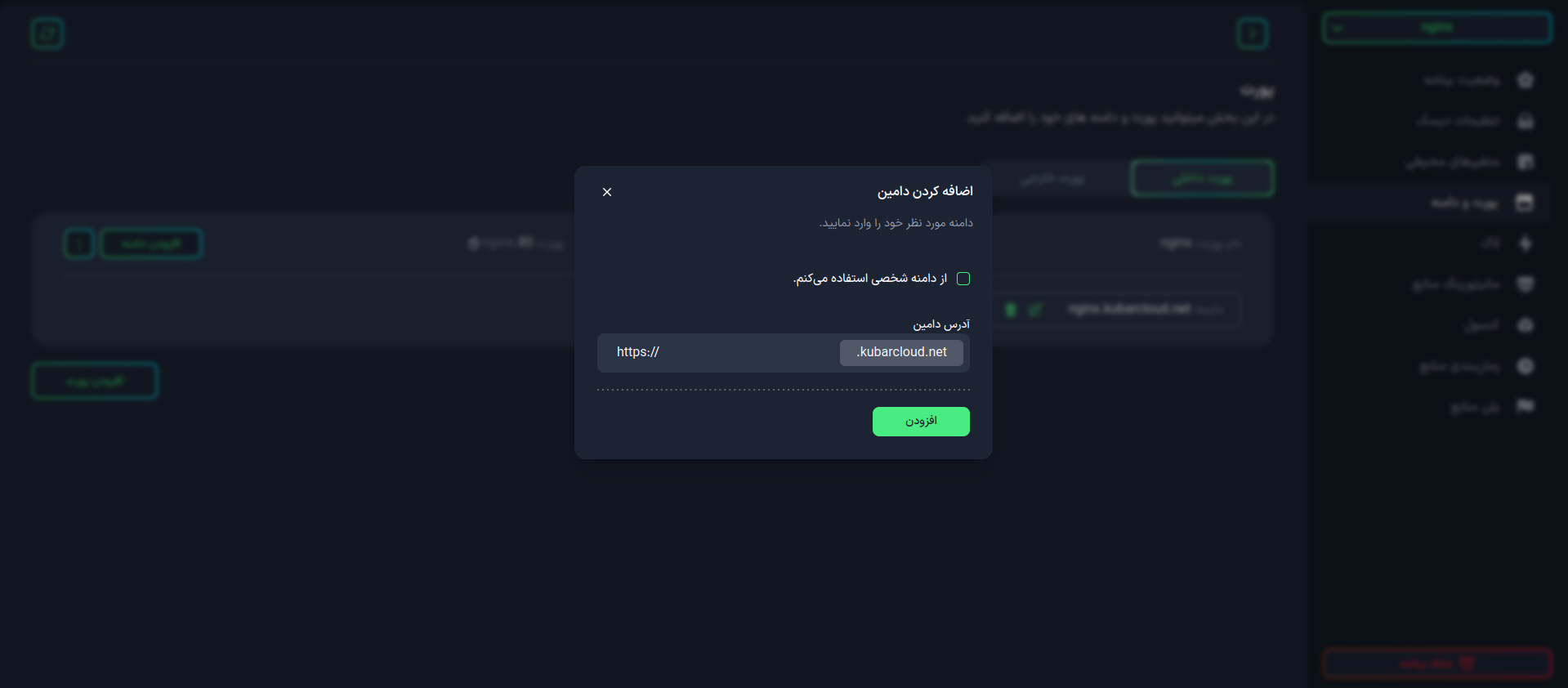
-
Custom Domain: If you have a specific domain that you want to connect to your application, you can use this option. To do this, enter your desired CNAME and click the Add button.
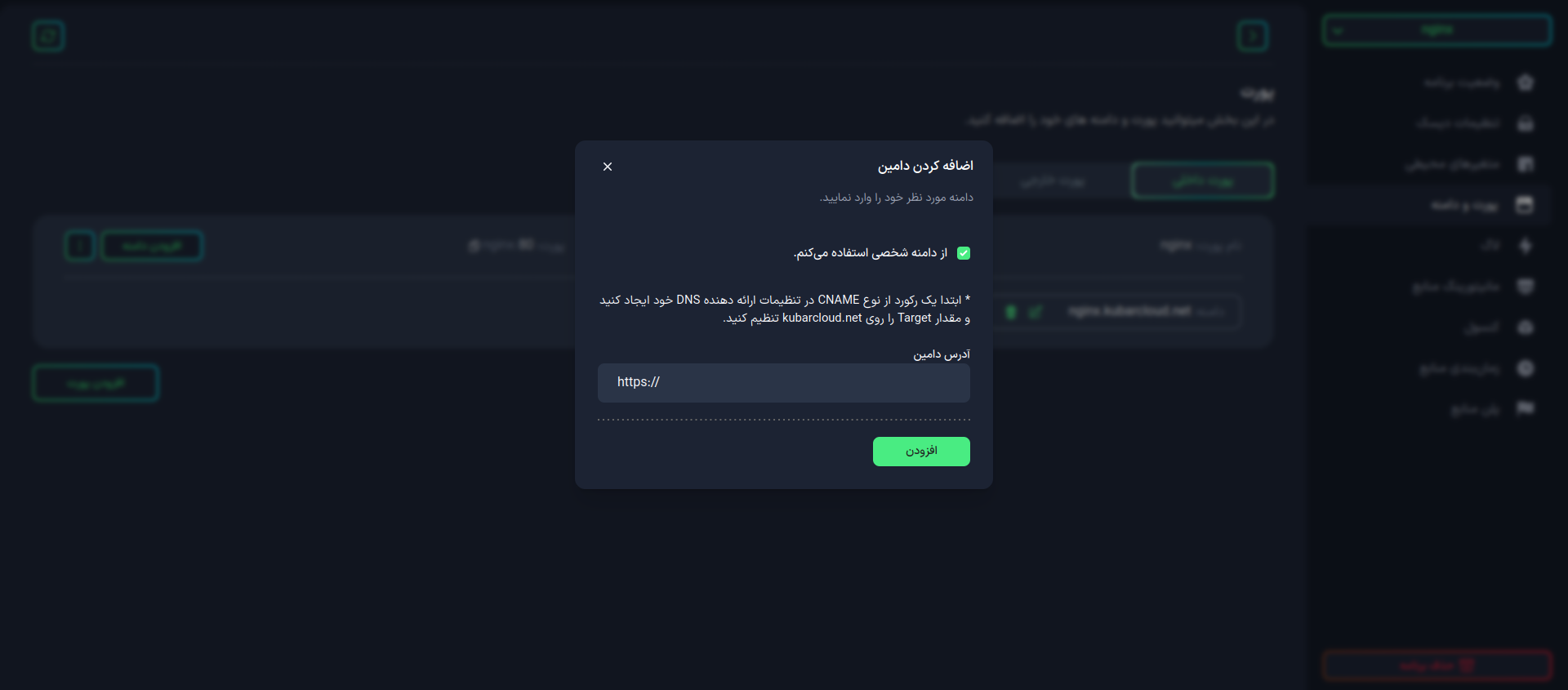
After completing the form, the new domain will be added to your application.
Difference between CNAME and A Records
When setting up a custom domain to connect to your application, you need to be aware of the important difference between CNAME and A records:
For Subdomains
If you want to connect a subdomain (such as blog.example.com) to your application, you should use a CNAME record.
For Root Domains
If you want to connect a root domain (such as example.com) to your application, you should use an A record.
Important Note: When setting up an A record for a root domain, in the name or host field (which is typically used for subdomains), you should use @ which indicates the root domain.
What is a CNAME?
A CNAME is a type of DNS record that allows you to point one domain name to another domain name. This record is typically used to create a link between different domains. For example, if you have a custom domain and want to connect it to your application, you can use this record.
How can I create DNS records for my domains?
- Arvan CDN
- Cloudflare
To create an CNAME, you can use services like Arvan.
To create an CNAME, you can use services like Cloudflare.
Complete DNS Record Setup Guide
For more information on how to properly set up DNS records for your custom domain, you can refer to the following guide:
How can I edit or delete a domain?
To edit or delete the domains of your applications, you can use the corresponding buttons next to each domain.

- Domain Name: The domain names you choose for your applications should not contain inappropriate words or illegal content.
- Domain Validity: The domains you choose for your applications must be verified from reputable and reliable sources.